Bill it. Show the QR. Know your day.
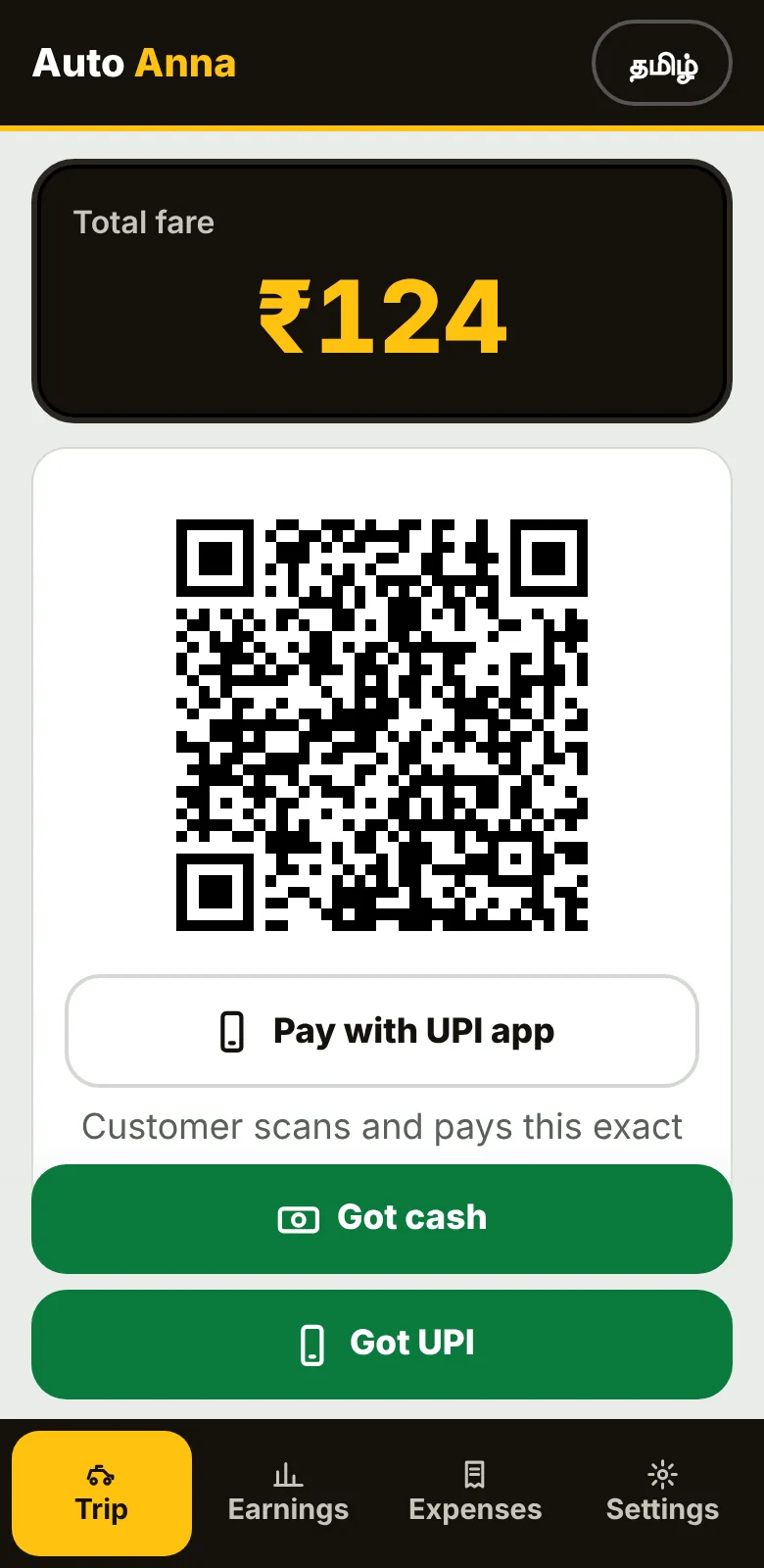
An app in Tamil, made for auto drivers. It reads the distance from your phone's GPS and makes the bill, with a UPI QR for the exact amount.
Free APK for Android. Not on the Play Store yet. On iPhone, use the browser version.
From trip to bill in three steps
- Start tripThe app counts the distance and the waiting time. In the Android app it keeps counting with the screen off.
- End tripThe bill is ready. You can change the distance or waiting time before you show it.
- Show the QR, tap cash or UPIThe passenger scans the QR for the exact amount. One tap saves the trip to your accounts.
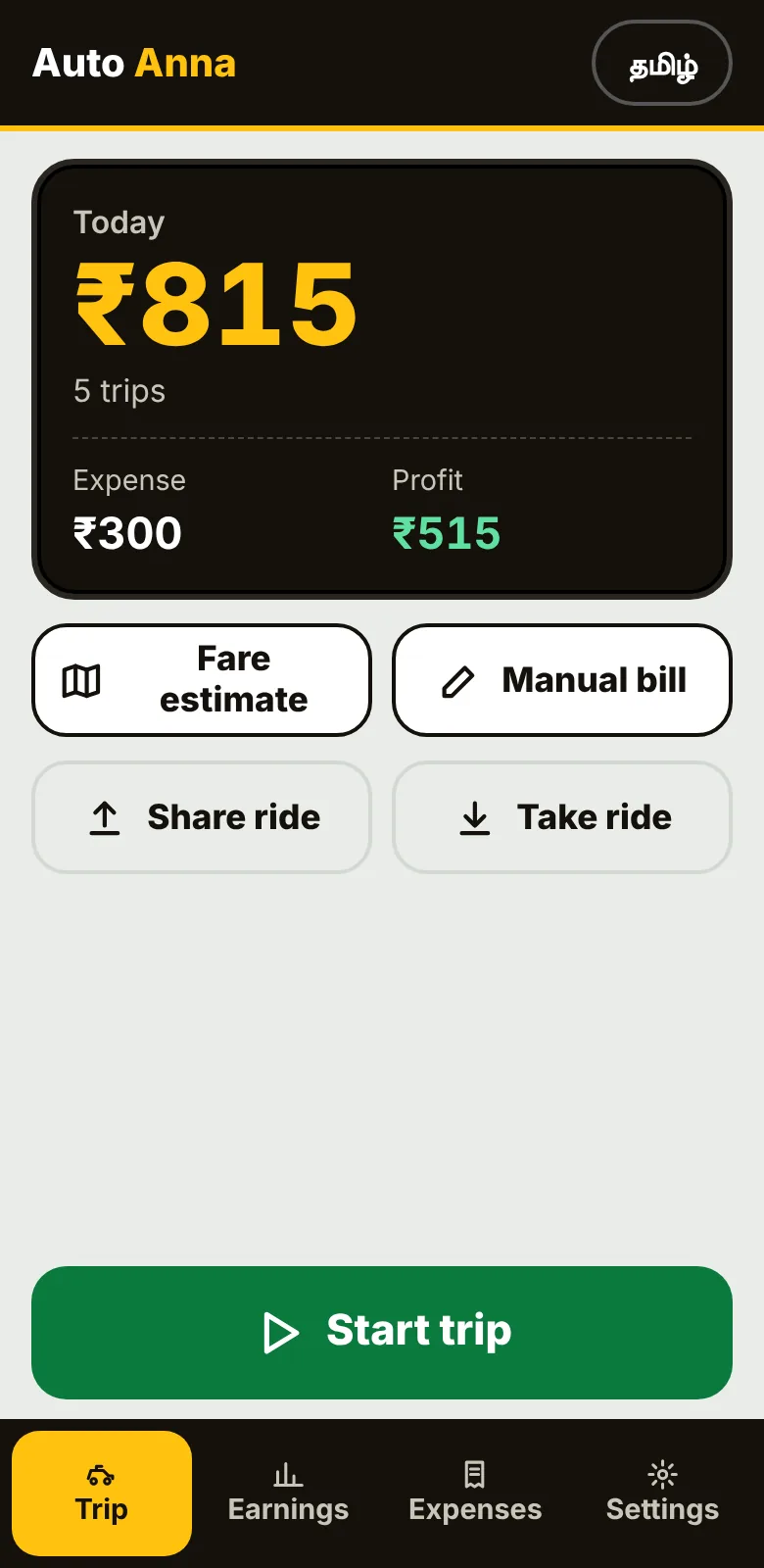
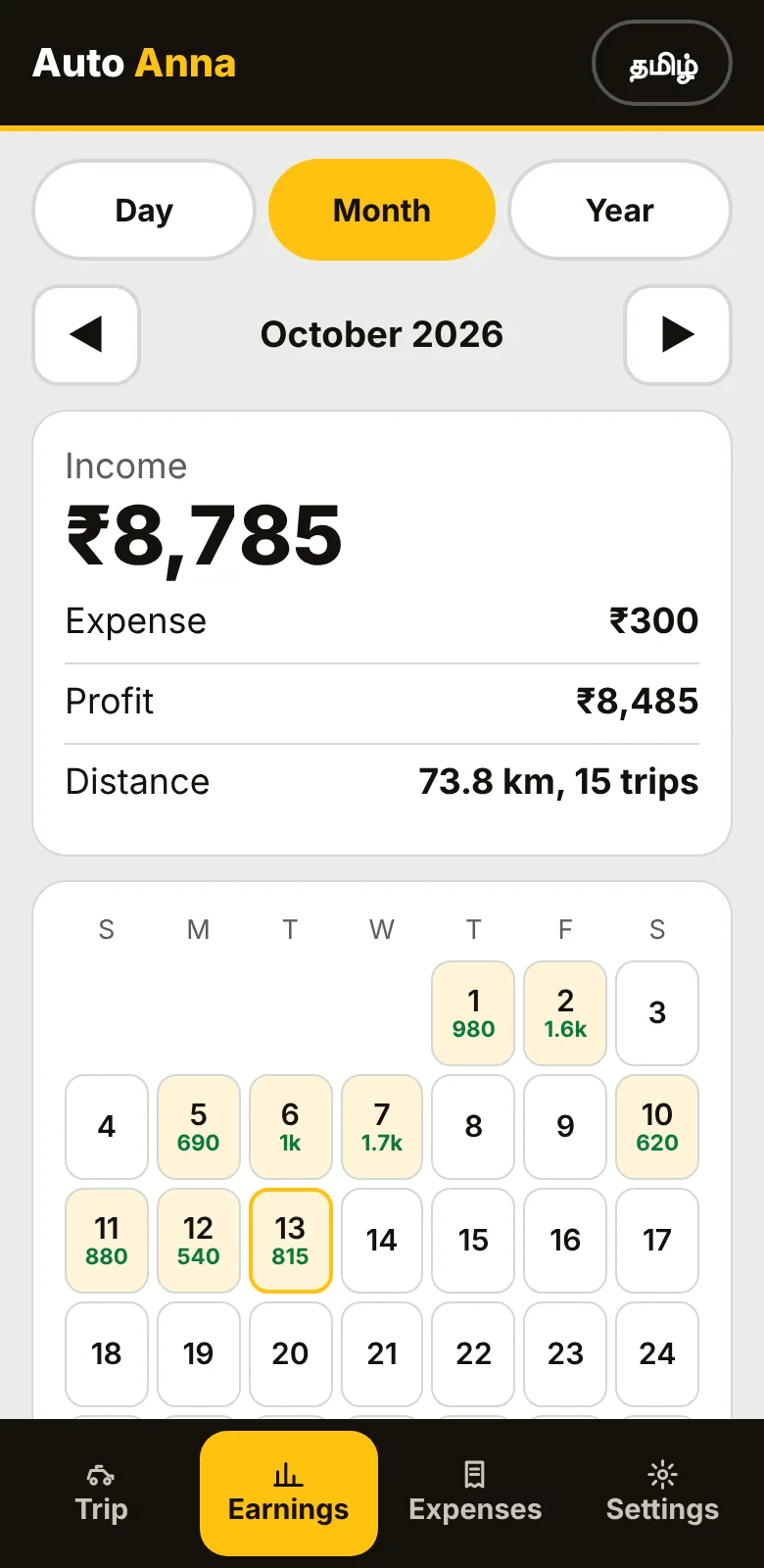
Everything an auto driver needs, nothing extra
Big buttons, Tamil first, and an English switch when you need it.
On the road
Money
Yours
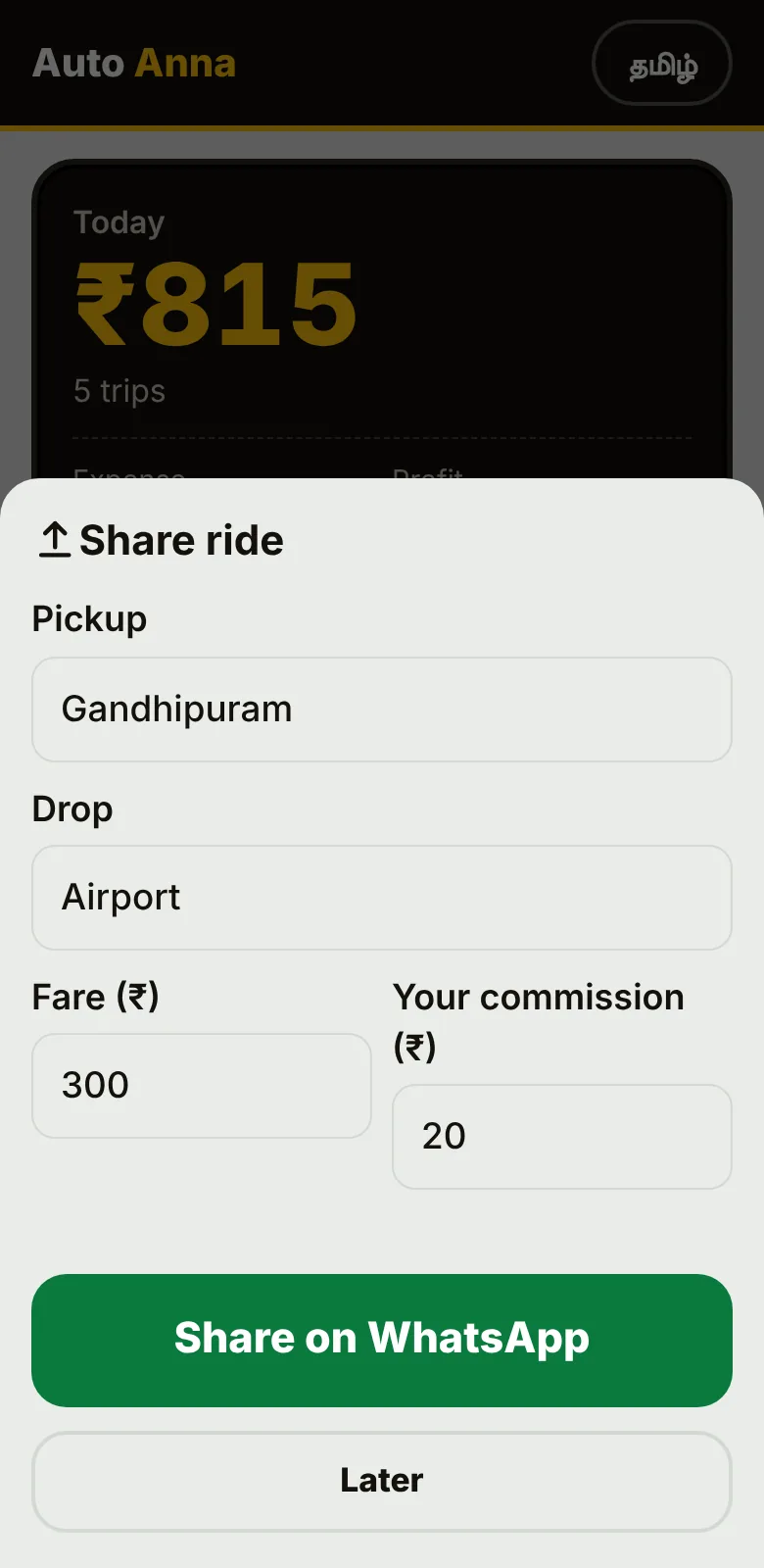
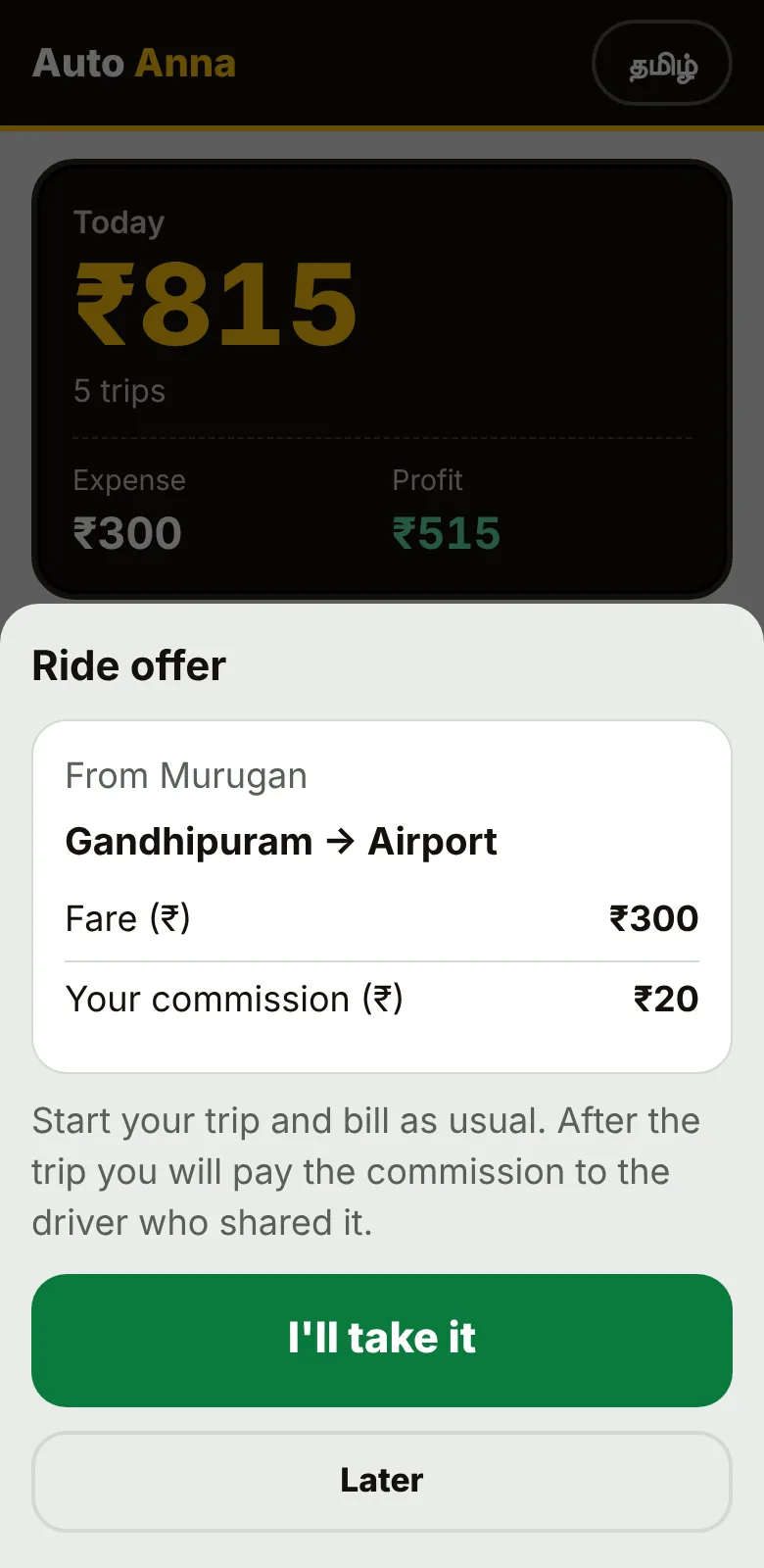
Share a ride in your WhatsApp group
- You are busy: share the rideType the pickup, the drop, the fare and your commission. The app makes the WhatsApp message and link.
- Another driver takes itHe opens the link, sees the offer and taps take. You get a WhatsApp message back.
- Commission by QRAfter the trip, his app shows a QR for your UPI ID. He scans and pays your commission. You mark it received.
For now two drivers can still take the same ride, so confirm in the group. We will fix this when more drivers use it.
Straight answers
Auto Anna is not a government-approved fare meter. Check your city's fare rules before you charge.
GPS can be wrong under bridges, in tunnels and between tall buildings. Check the distance before you show the bill. You can change it.
Your trips and expenses stay on your phone. They go to our server only if you turn on backup.
If you lose your backup key, nobody can get it back. Write it down and keep it safe.
Get Auto Anna
An APK file for Android. It is not on the Play Store yet, so your phone will ask you to allow the install.
- Download the file and open itIf Chrome warns about the file, choose to keep it.
- Allow the install when your phone asksAndroid asks once to allow installing from this source.
- Allow location, and notifications if you want payment voiceLocation is only used to count the distance. Your location is not sent to our server.
Updates: download the newest APK and install it over the old one. Do not uninstall first, or you lose what is only on your phone.
Questions drivers ask
Does it need internet?
Trips, bills and accounts are saved on your phone. Maps, the fare estimate and backup need internet.
Why does it want my location?
To count the distance you drove. It is not sent to our server. The fare estimate sends the start and end points to the free OpenStreetMap routing service to draw the route.
I changed my phone. What now?
Install the app, choose Restore, and enter your backup key. You set a new PIN on the new phone.
Does it work on iPhone?
Yes in the browser, with the bill, QR and accounts. The payment voice and background distance counting are Android app only.
Is it on the Play Store?
Not yet. For now it is a direct APK download from this page.
Does it replace my meter?
No. It is a helper for bills and accounts. Follow your city's rules for fares and meters.